

Switch to Pulse
Switch in days,
not months.
Your gym keeps moving. We handle the move.
Members, payments and schedules. Our team brings it all together, with your old system live until you’re ready.
Your next chapter
A clearer view
of your gym.
Every lead. A clear next step.
See enquiries and follow-ups in one pipeline.
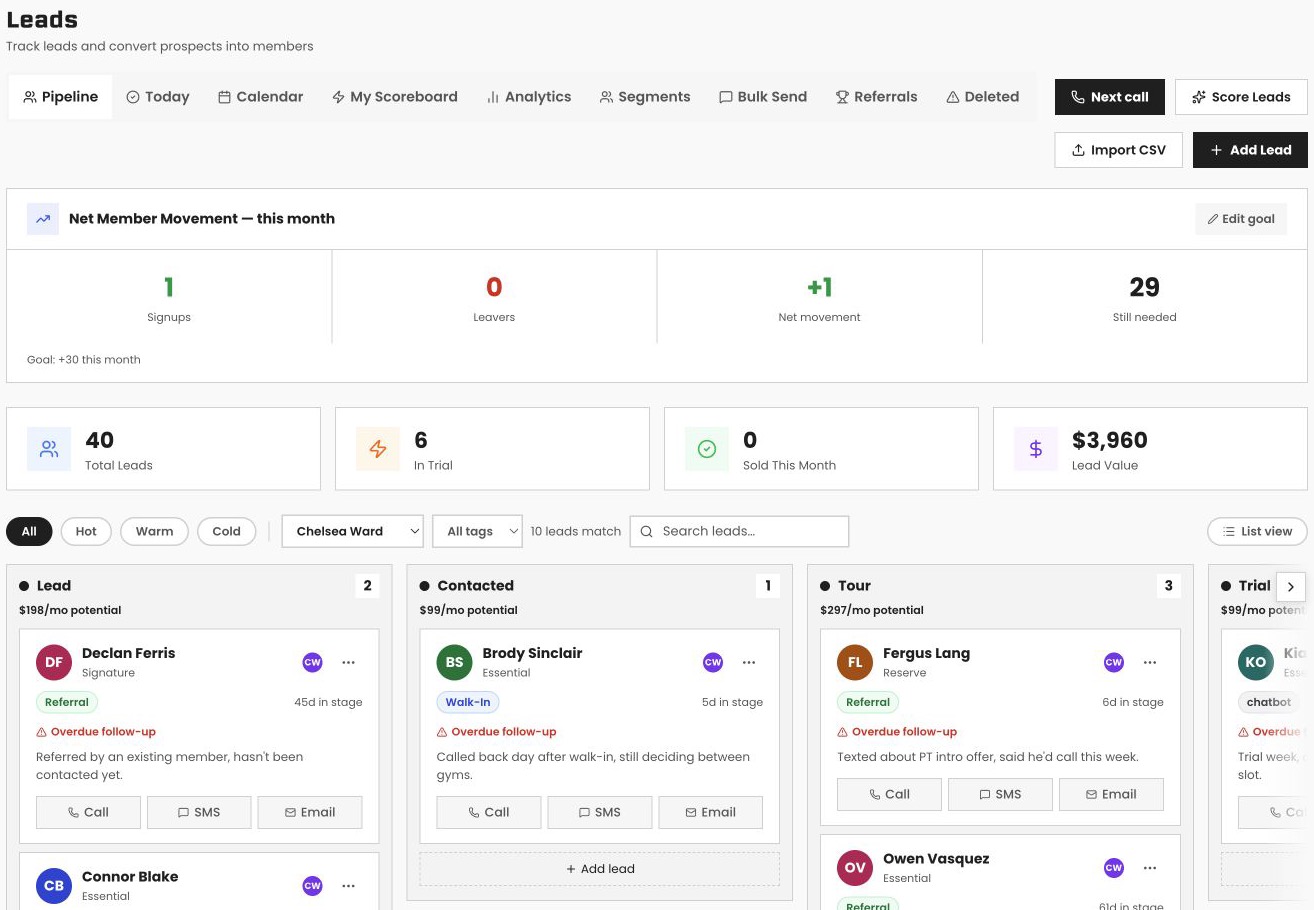
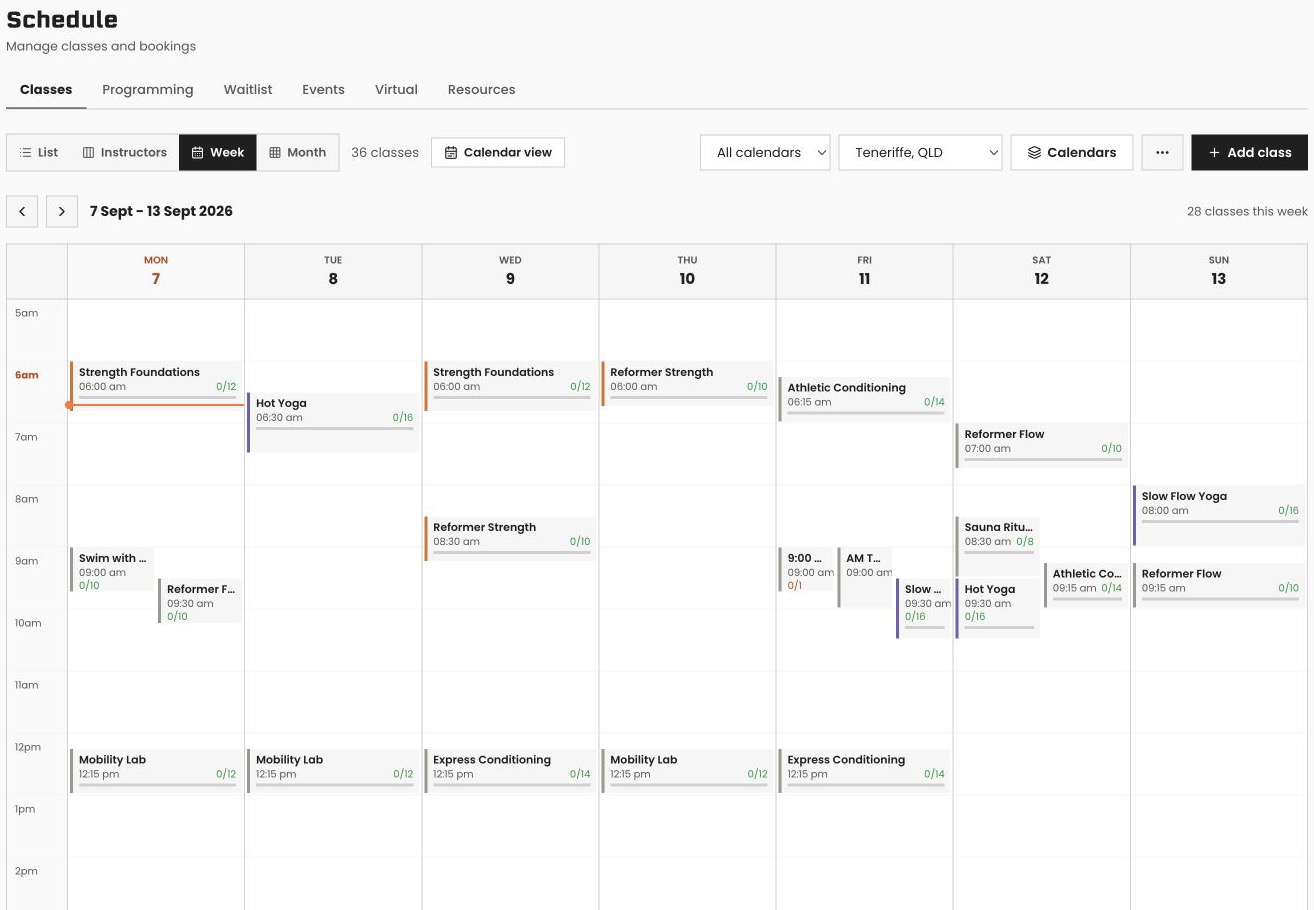
Your whole week, in view.
Classes, coaches and bookings on one timetable.
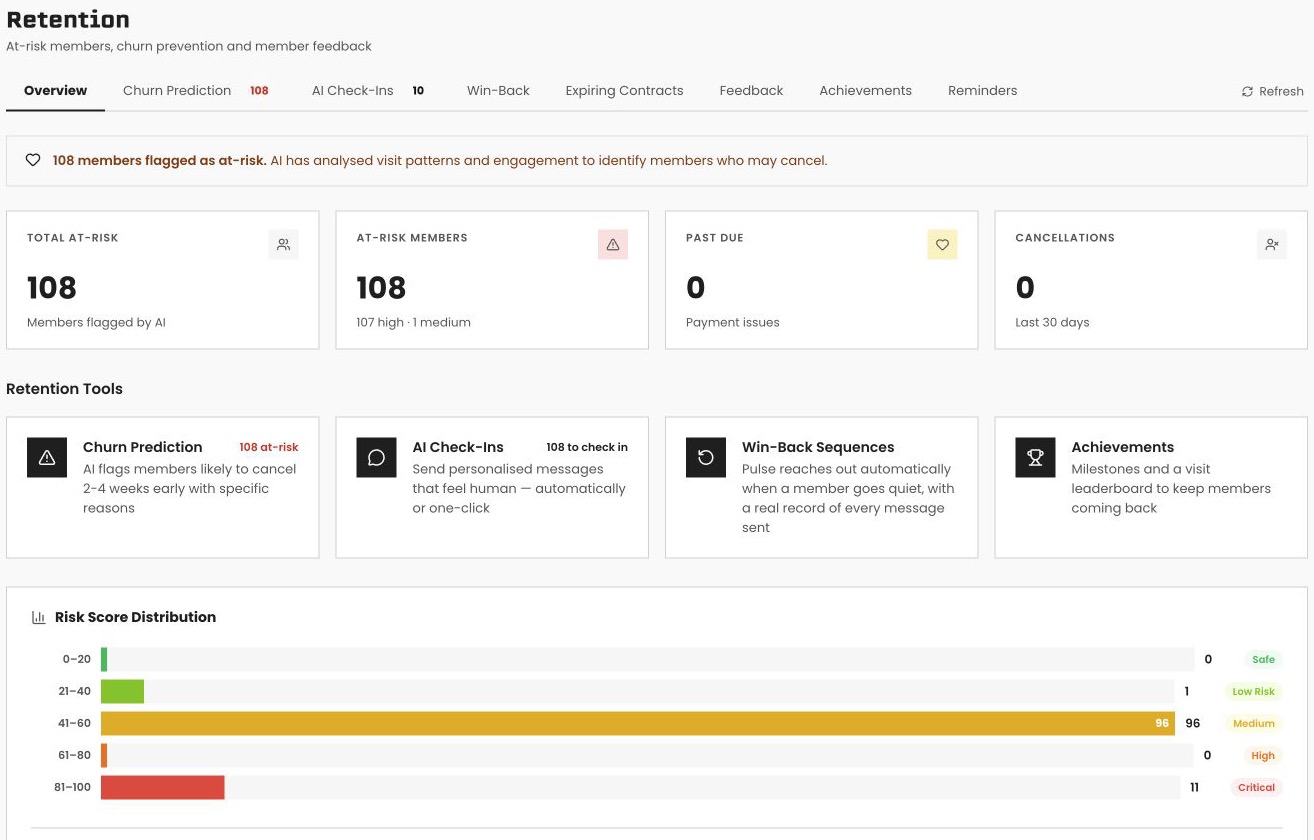
Know who needs a check-in.
See attendance and members who may need your attention.

You keep running your gym.
The process
Five steps.
One fresh start.
- 01
Make a plan
Meet your migration contact. 30 min
- 02
Request your export
Use our email template below. 5 min
- 03
We set up Pulse
Your data is imported and checked. No work for you
- 04
Check it together
Review Pulse against your old system. 20 min
- 05
Go live
Tell your members. Close the old system. 10 min
How long does the move take?
Typically around 48 hours from receiving your export, followed by your review and go-live. Your current platform’s export turnaround may add time. Your old system stays live until you’ve checked Pulse and are ready to switch.
Your data comes with you
Same gym.
Everything together.
- Member profiles & contacts
- Active memberships & plans
- Billing history
- Classes & bookings
- Staff records & leads
Payment details & what stays behind
Stored cards: where your platform supports secure provider-to-provider transfer, payment details move too. Otherwise, members securely re-enter their card once. Our team helps you follow up.
Custom reports, integrations and automations: rebuild these in Pulse with your migration contact.
Leads: our import tool includes an AI column parser and presets for Mindbody, Glofox (ABC Fitness), Zen Planner, PushPress, Hapana and generic CSV.

Already written for you
A little less
on your list.
Your export request and member emails, ready to use.
Request your data export
Subject: Full data export request (account cancellation to follow)

Hi,

I'm switching gym management platforms and need a full export of my account data. Could you please send:

• Member profiles and contact details
• Active memberships and contracts
• Billing history
• Class schedules
• Attendance history

Please treat this as a formal export request. I'll confirm account cancellation once I've received and verified the export.

Thanks,
[Your name]
[Gym name]
"Something new is coming" (send ~1 week before)
Quick heads up: we're upgrading the software behind the scenes at [Gym Name]. Nothing you need to do right now, just wanted you in the loop.
Next week you'll get a new way to book classes and manage your membership. Your membership, your schedule, your details all carry over automatically. No re-signing up, no re-entering your card.
We'll send you the details as soon as it's live.
See you at the gym,
[Your name]
"We're live" (go-live day)
We're live on our new system. Here's what changed: booking classes and managing your membership now happens through VERVE Pulse.
Here's what didn't change: your membership, your credits, your schedule. All of it carried over automatically, and there's nothing you need to do.
[Login / app details go here.]
Any questions, just reply to this email.
[Your name]
Platform guides
Switching from…
Choose your platform.
See exactly what moves.
A few final details
Your questions,
answered.
How long does it take?
Most gyms are live within 48 hours of us receiving your data export from your current platform, with zero downtime for your members while it happens.
What do I have to do?
About an hour of your time, split across three short calls: book your migration call, request your data export, and a review call before go-live.
Will I lose my member history?
No. Member profiles, plans, attendance history, future bookings, class schedules and staff records all come over. Billing restarts on your normal debit day once each member signs a new billing agreement through a secure link.
What will my members notice?
Nothing, until you send the go-live announcement. Their memberships stay active and their schedule carries over automatically.
Do stored cards come over?
Where your current platform supports secure provider-to-provider payment transfer, stored payment details move without members re-entering a card. Where it doesn't, members securely re-enter their card once at their first login, and our team works with you to chase the last few.
What does it cost?
A$990 for a fully managed concierge migration. It's waived if you're on an annual plan.
Do I need to be technical?
No. Our team does the migration. The onboarding wizard guides you through everything else.
Can I run both systems side by side?
Yes. Your old platform stays live until you've checked everything in Pulse against it. You only cancel it after you've gone live.
A$990.
Waived on annual.
One-off concierge migration. Annual billing also includes 2 months free on your plan.
Plans from A$166/month +GST (billed annually) Or book a demo